
How a case runs
jura workbench · alpha
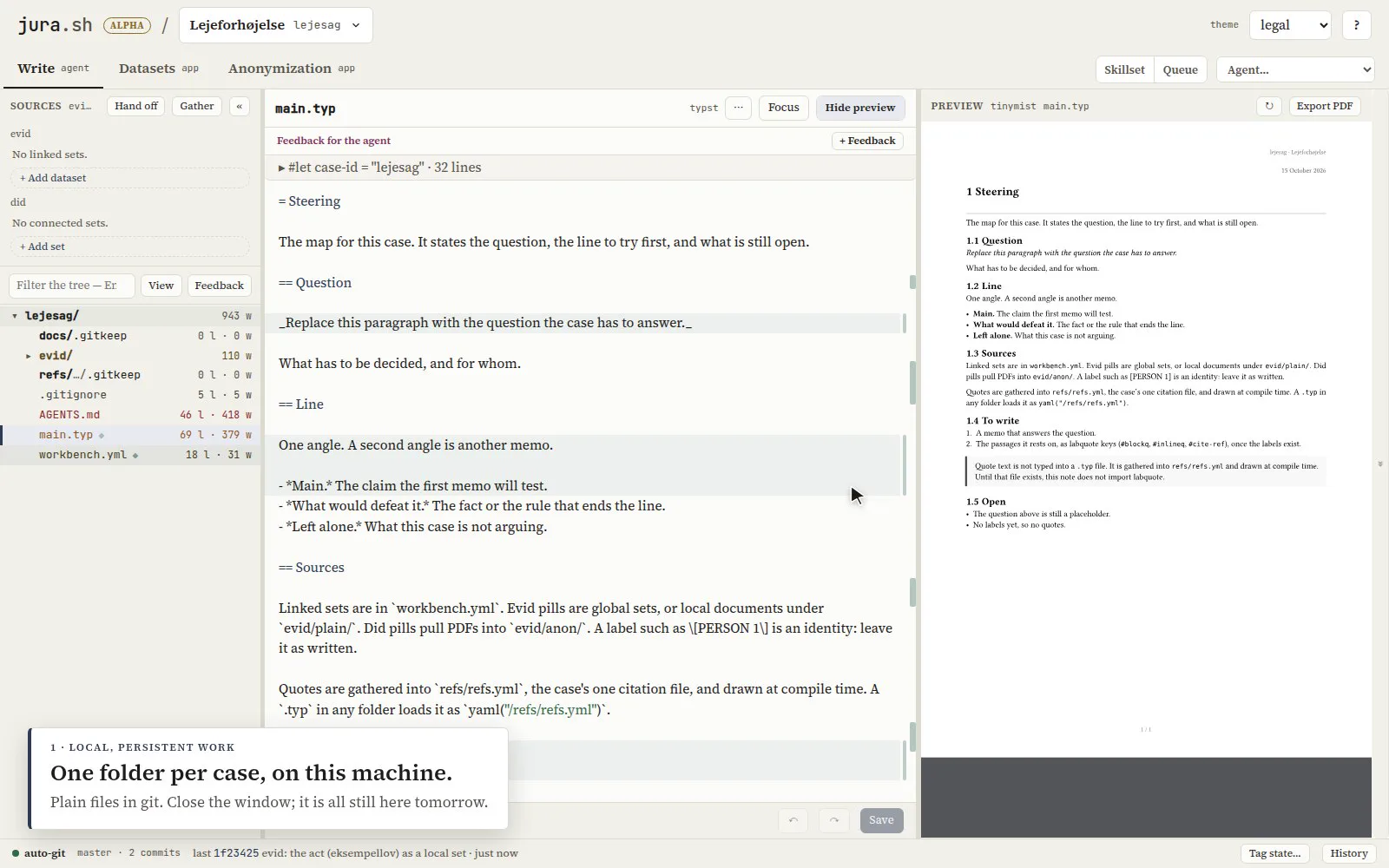
One window per case. Write is the case folder, with an editor, a live Typst preview and the agents’ terminals. Datasets is evid. Anonymization is did. Below, one fictitious tenancy case from start to finish.
The case is a folder
A new case is a git folder on your disk with one fixed layout: documents in docs/, citations in refs/, PDFs in out/, and main.typ as the map of the case. The layout is written into the case’s AGENTS.md, so every agent puts things in the same place.
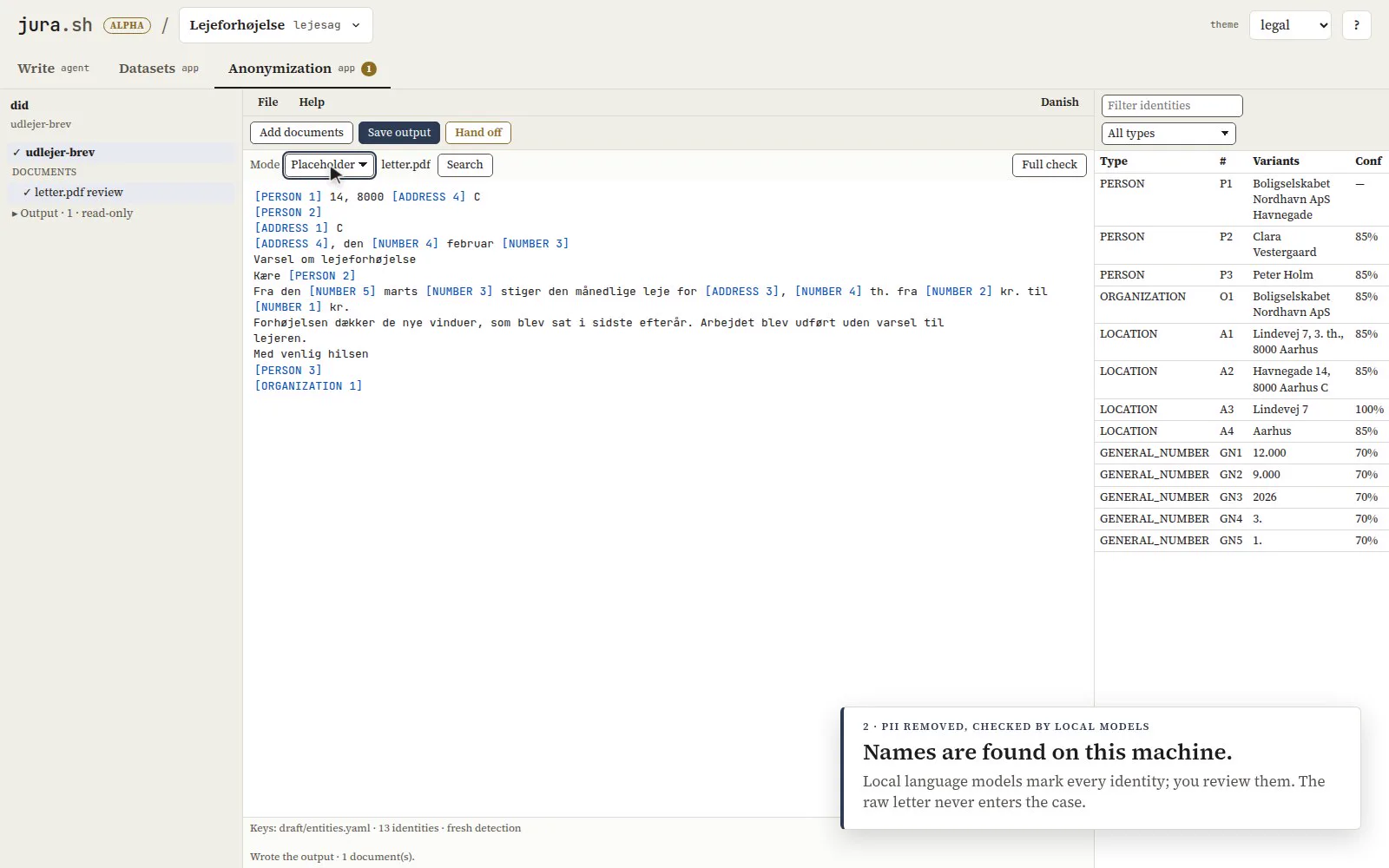
Names are removed before anything reaches the case
The raw letter goes into did, outside the case. Local language models mark every name, address and number; you review the list. Connecting the set hands off a copy with [PERSON 1] in place of each name. The original never enters the case folder, and the agents’ sandbox cannot see it.
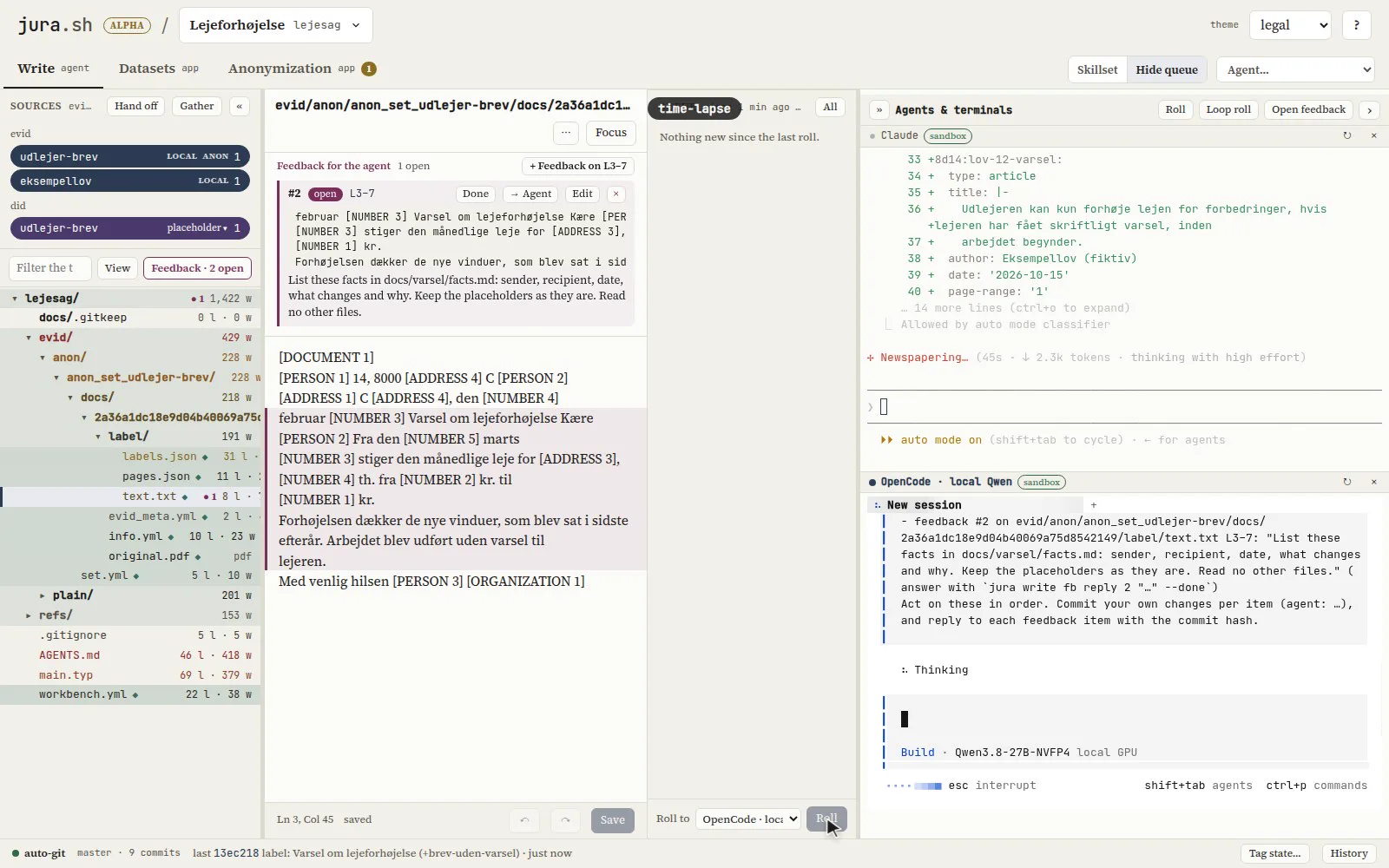
Hosted and local agents, side by side
Pick an agent from the menu: Claude, Codex, OpenCode on a local model, or a plain shell. Each runs in its own sandboxed terminal on the same folder. In the example, Claude drafts the note and a local Qwen sorts the facts.
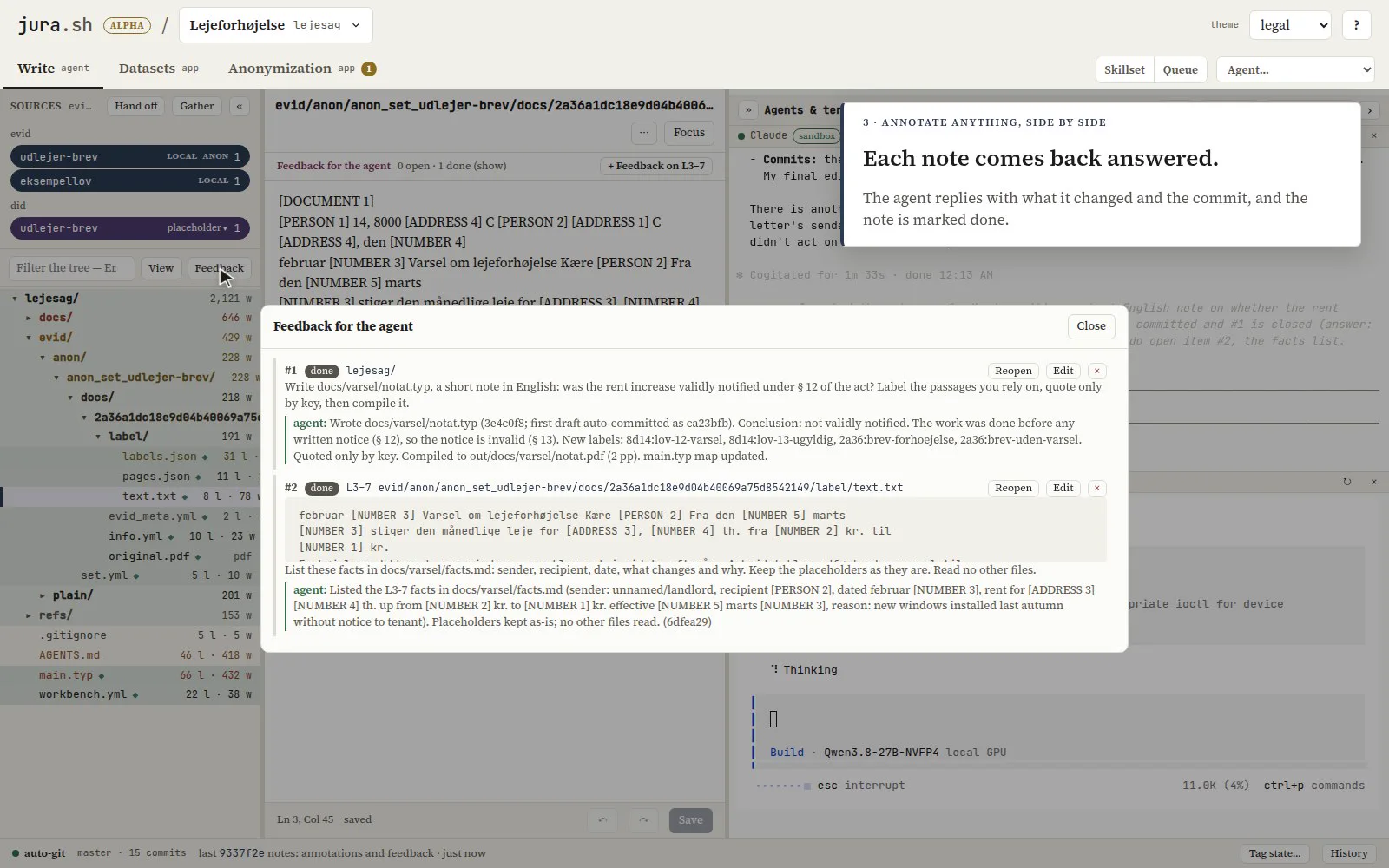
Annotate anything, then roll it to an agent
Leave a note on the case, a file, a folder or a few selected lines. The Queue collects your notes and edits since the last roll: pick an agent and roll them to it as one message, or send different notes to different agents. Each agent answers a note with what it changed and the commit, and the note is marked done.
A quote is the source’s own words
A passage is labelled in evid, by an agent through evid label add or by hand in Datasets. jura gather writes the case’s one citation file, and the note cites by key. The quoted text comes from the source at compile time, never from the model.
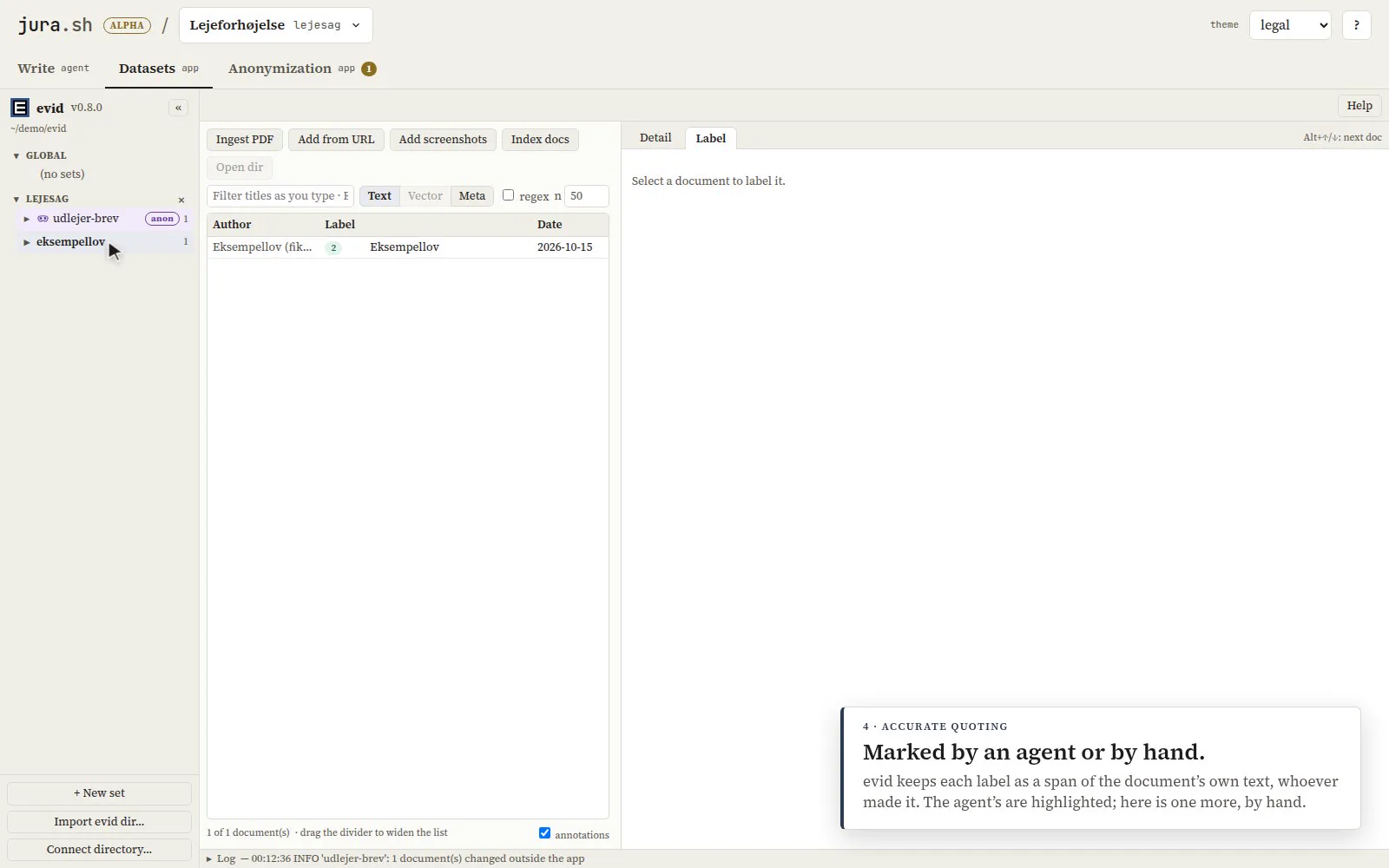
Every change is recorded
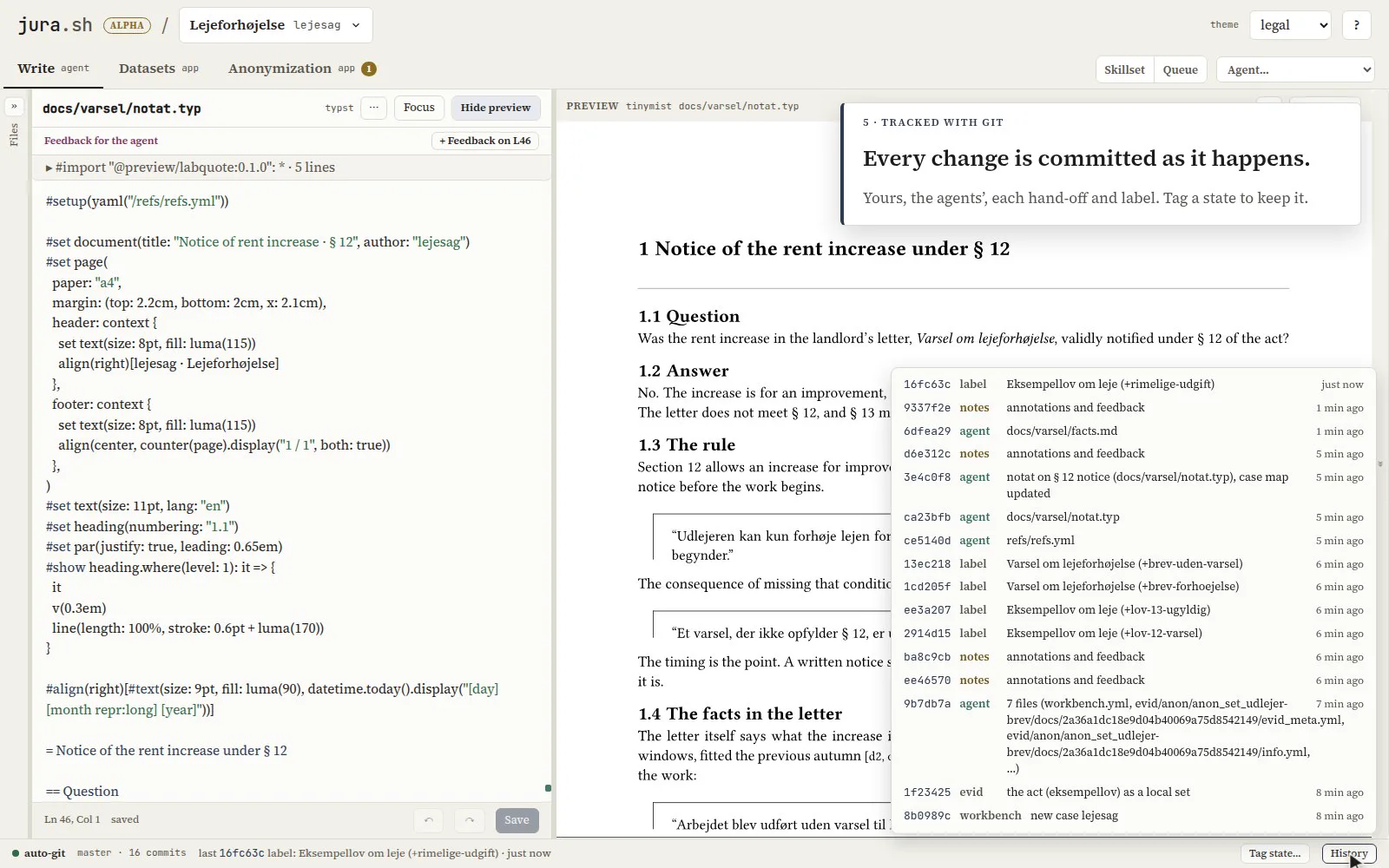
The workbench commits as work happens: your edits, the agents’ edits, each hand-off and label. History lists them; Tag state marks one to keep, such as the version sent to a client.
Install
Section titled “Install”Alpha, Linux. One line in a terminal:
curl -LsSf https://jura.sh/install.sh | shGet started has what it installs, the prompt for your agent harness, the case templates and how to add a local model.
The workbench gives no legal advice. Review what an agent writes before you rely on it.