
Get started
jura workbench · alpha
About five minutes on Linux: one install line, one window, one click to a case. For the agents you need at least one agent harness, such as Claude Code, Codex or OpenCode.
One line in a terminal
curl -LsSf https://jura.sh/install.sh | shThe script installs uv if it is missing, then evid, did and the workbench. A tool that is already installed is left alone. Then jura setup installs what is still missing and asks before each step:
typst, andtinymistfor the live preview, into~/.local/bin.gitandbubblewrapwith your package manager, and optionally poppler, whosepdftotextdid uses for PDFs with a broken text layer. This needs sudo, so it asks again first.- did’s language models, for the languages your documents are in.
You can also let your agent harness do it. Paste this into it:
Install the jura workbench on this Linux machine: run

curl -LsSf https://jura.sh/install.sh | sh

Without a terminal it runs `jura setup --yes`, which prints the commands that need sudo instead of running them. Show me those and ask before running any. Then run `jura doctor` and tell me what is still missing.Pick what the case starts with
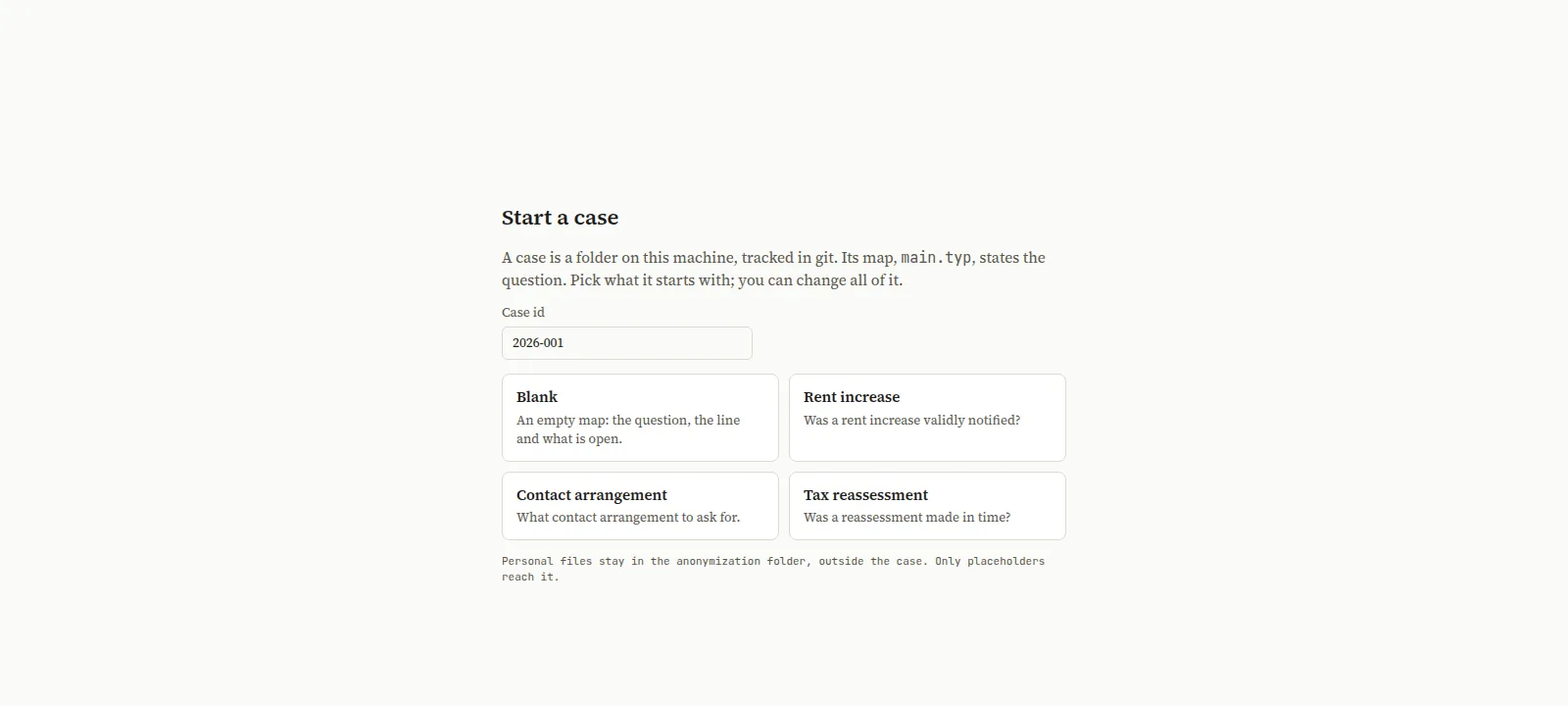
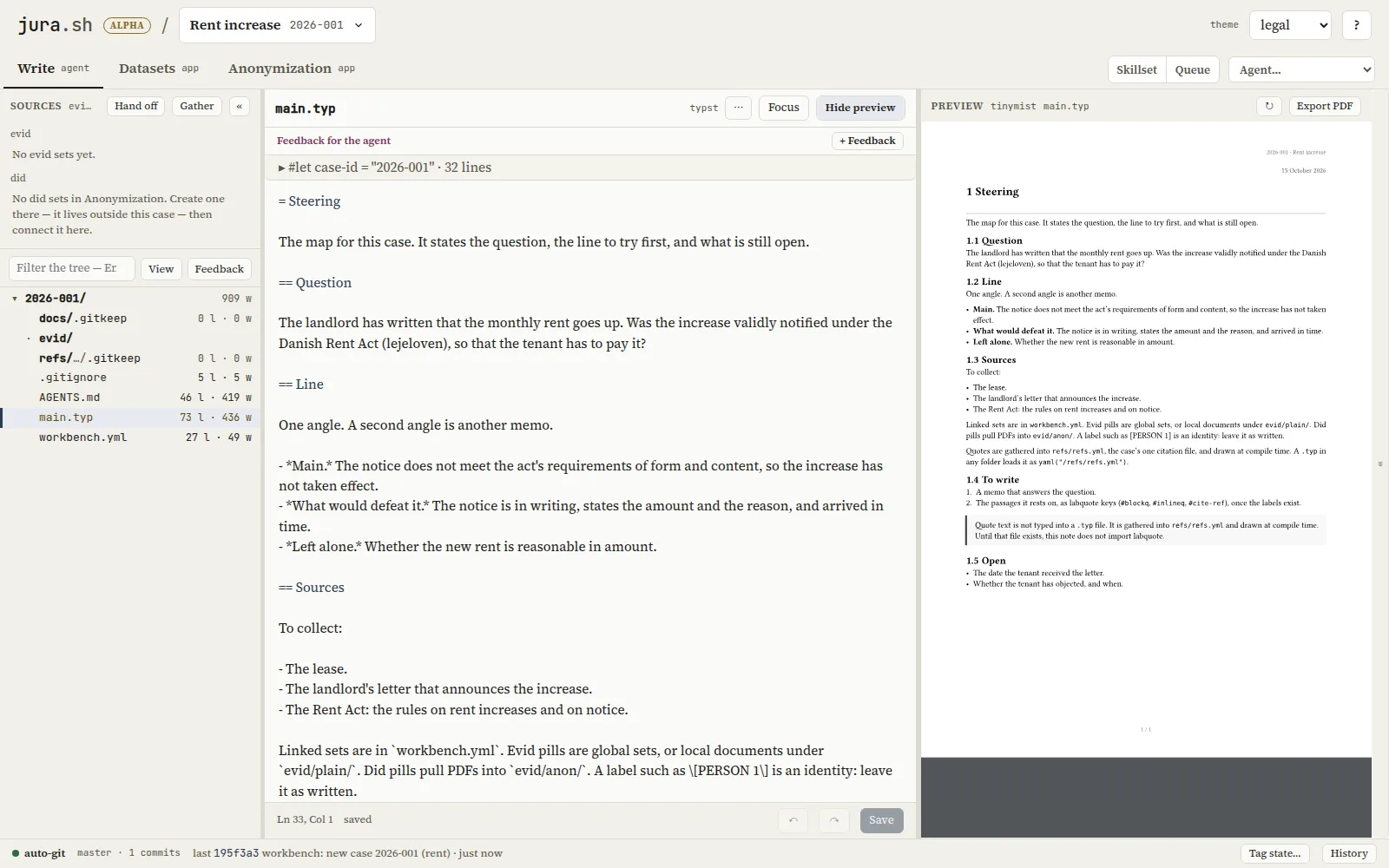
Run jura open. The first window asks for a case. The map of a case, main.typ, states the question, the line to try first, the sources to collect and what is still open. Start from a blank map, or from a plain question about a rent increase, a contact arrangement or a tax reassessment. One click makes the case and opens its map. You can change all of it.
One pass through a case
- Anonymize a documentAnonymization: create a set, add a PDF, review the names it found. Then connect the set in Write. How it looks
- Start an agentThe Agent menu opens a harness in a sandboxed terminal on the case folder.
- Leave a note and roll itA note on the case, a file or a few lines. The Queue sends your notes to the agent you pick, and the agent answers each one.
- Quote by keyLabel passages in Datasets, Gather, and compile. The PDF quotes the source’s own words.
- Keep a stateEvery change is already committed. Tag state marks one you want to find again.
Hosted and local agents
The Agent menu lists the harnesses it finds on PATH: Claude Code, Codex, OpenCode, Grok and Hermes. Install one and log in to it in a terminal as you normally would. The workbench adds nothing to its login.
For a local model, point OpenCode at a local server, such as Ollama, vLLM or llama.cpp, in an OpenCode config file of its own. Then give it a row in ~/.config/workbench/agents.toml. That file replaces the shipped list, so start from a copy of the shipped one:
[[agent]]name = "OpenCode · local"command = "opencode --standalone"bin = "opencode"env = { OPENCODE_CONFIG = "~/.config/opencode/profiles/local.json" }Ask the doctor
jura doctor lists every tool the workbench runs: ok, !! for a required one that is missing or too old, -- for an optional one. jura setup fixes what it can. An update pill in the window’s header means the same thing.
A command that is not found after the install usually means ~/.local/bin is not on PATH yet: open a new terminal. To update all three tools later, run uv tool upgrade jura-workbench evid did.
The workbench gives no legal advice. Review what an agent writes before you rely on it.